

Generative AI isn’t just a buzzword anymore—it’s something many of us are using every day, whether we realize it or not. From drafting emails and creating presentations with the help of Gemini to designing images and producing videos, AI tools are becoming part of our daily workflow.
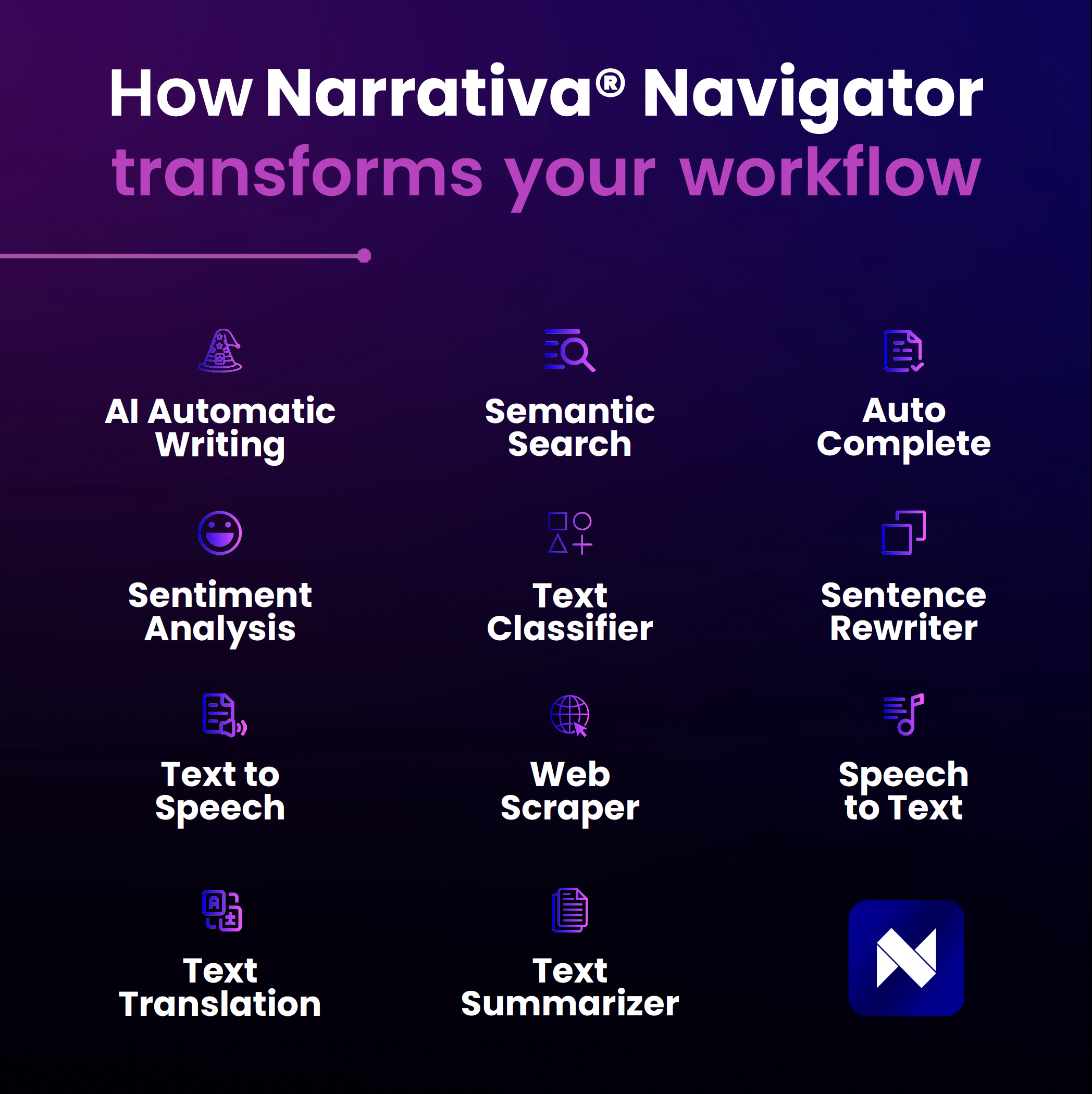
The exciting part? You don’t need to be a tech expert to benefit. With a little curiosity (and the right approach), you can quickly start seeing results. That’s exactly what we see with Narrativa® Navigator, a tool designed to make AI both powerful and easy to use.
At Narrativa, we see every day how AI is becoming a creative ally rather than a replacement. The real stories from our clients show us this firsthand. Here are 5 tips to get the most out of generative AI tools.
1. Choose the right tool for your goal
Not all AI tools are created equal. The first step is identifying what you need.
- Writing & content generation: ChatGPT, Jasper, Narrativa® Navigator.
- Visual creation: MidJourney, DALL·E.
- Video production: Runway, Pika Labs.
- Audio & voice: Monoceros Labs, Descript.
The key is to pick a tool that matches your objectives—whether that’s drafting an article, generating visuals for a campaign, or producing a podcast.
In addition, you also need to consider security and privacy. A tool that uses your data is not the same as one that protects it. In business, you must keep any and all internal and customer data secure. At Narrativa, we have stringent data protection policies and prioritize our clients’ privacy.
2. Master the art of prompting
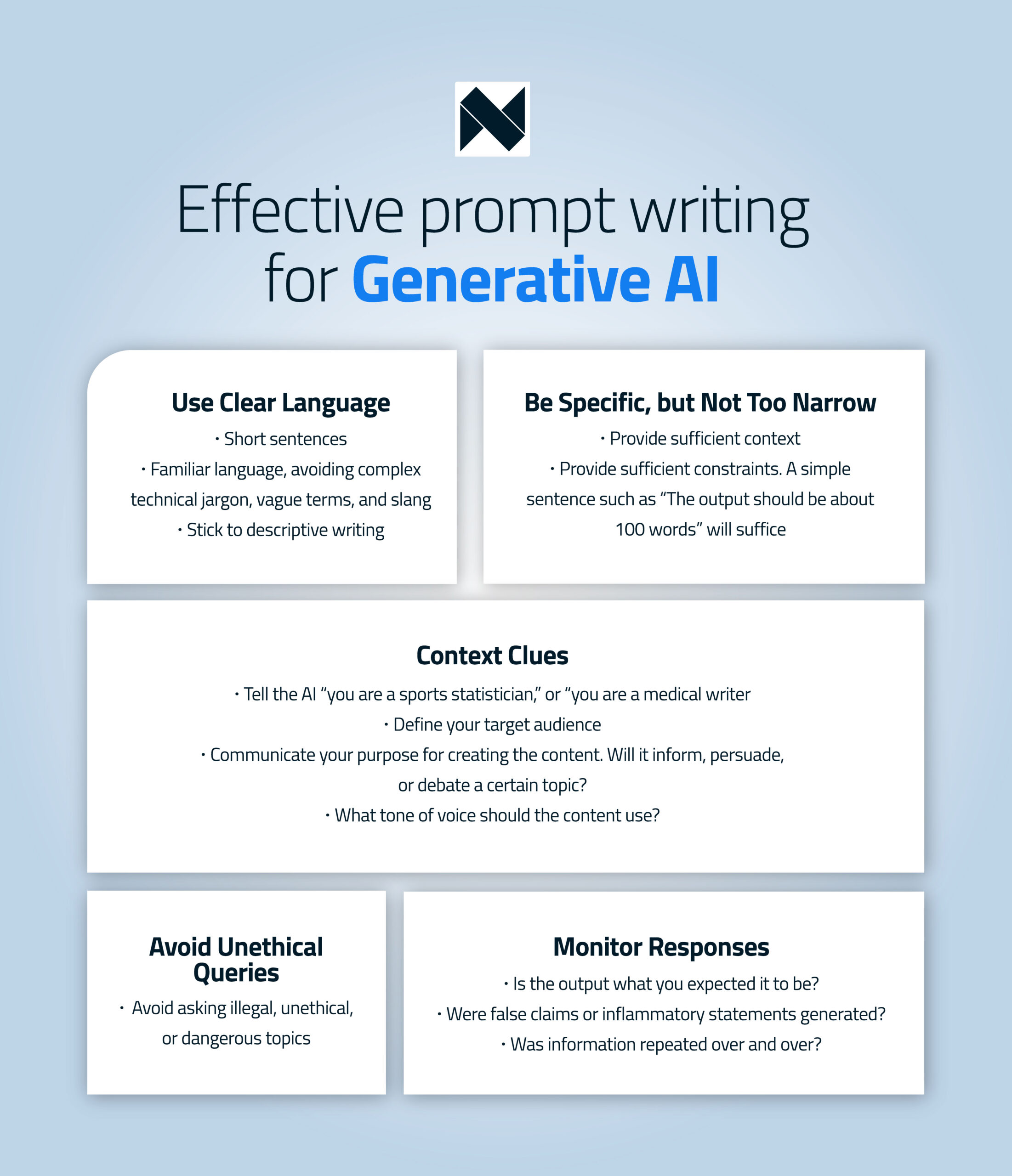
Think of prompts as your way of directing the AI. A vague request leads to generic results; a clear, specific prompt leads to content that’s closer to your vision. A good rule of thumb:
Use clear language
The most effective prompts are simple and guide the AI model to understand what you want. Use short sentences and familiar language and avoid complex technical jargon, vague terms, and slang. Stick to descriptive writing and don’t assume the model understands cultural nuances. Also, be specific, but not too narrow.
Be specific, but not too narrow
A vague prompt will leave any generative AI struggling to produce an output. Too general or unfocused requests lead to poor results. On the other hand, an overly narrow prompt can limit the AI’s flexibility and creativity.
For example, a bad prompt that’s too general would be: “Write a social media post for me.”
A better prompt might be: “You are a [job title]. Draft an engaging LinkedIn post about [topic]. The target audience is [audience]. Include three high-performing hashtags. Here’s an example: [insert example].”
Provide sufficient context
Add details like length (“The output should be about 100 words”), purpose (to inform, persuade, or entertain), and tone of voice (friendly, professional, exciting, etc.). You can also give the AI a persona (“You are a sports statistician” or “You are a medical writer”) or paste in an example to mimic.
Avoid unethical queries
It should go without saying, but don’t use AI to create illegal, harmful, or unethical content.
Monitor responses
Even with strong prompts, AI can sometimes drift off course. Review the outputs carefully:
Did it give you what you expected? If not, add more context. Did it generate false claims or problematic statements? Revisit the prompt. Did it repeat itself? Ask the AI to condense the text or break the task into sections.
With just a bit of practice, prompting becomes a skill that dramatically improves your results.
Creating rules within prompts – Narrativa Navigator
In Narrativa® Navigator, a prompt does more than generate text. It can also include rules that adapt the content automatically based on your data.
These rules turn a static text into an intelligent narrative. The output changes for each case without forcing you to write multiple versions manually.
What “creating rules” in a prompt means
Creating rules means defining conditions and the editorial response for each condition.
For example:
- If a value is high, the text should highlight it.
- If a data point is missing, the text should skip it.
- If a situation is exceptional, the text should adjust the tone.
How rules connect to data
Rules depend on your dataset. In Narrativa® Navigator, the prompt reads data through references like #field.
You write rules based on those fields. The AI then applies them automatically across every record.
How to write rules inside a prompt
You don’t need code. You write rules in clear natural language.
Every rule should define two things:
- The condition
- The expected output when the condition applies
Example:
“If the value of #intensity is greater than 5, describe it as a high-intensity earthquake.
If it is 5 or lower, describe it as an event of moderate intensity.”
Common types of rules
- Threshold rules: Use them when a value changes the meaning of the message (for example, risk levels).
- Data presence or absence rules: Use them to avoid incorrect statements when a field is empty or not applicable.
- Tone or focus rules: Use them to adjust language based on severity, relevance, or impact.
- Combined rules: Use them when the narrative depends on multiple fields at once.
Why rules matter in content automation
Rules improve quality and reliability at scale. They:
- Prevent narrative mistakes
- Reduce manual review
- Keep output consistent across hundreds or thousands of texts
- Reflect real nuance in the data
Best practices for writing rules
- Think through every scenario, not just the typical case
- Account for extreme values and null fields
- Keep rules simple and explicit
- Test prompts with different rows before scaling production
Key takeaway
Rules don’t just help a prompt generate text. They help the prompt make editorial decisions based on data.
3. Explore multimodal AI
Generative AI isn’t limited to text. Many platforms now let you combine text, images, and even audio in a single workflow. Imagine drafting a press release, generating visuals to go with it, and creating a short explainer video—all in less than an hour. That’s the power of multimodal AI.
4. Keep your personal voice at the center
AI is a tool, not a substitute for your creativity. The best results happen when you add your unique perspective. For example, let AI create a first draft, then enrich it with your own tone, insights, and storytelling style. That way, your content stays authentic and truly resonates with your audience. Many of our clients use the first draft provided by Narrativa® Navigator to add their own information and conclusions.
5. Stay curious and up to date
The AI world is moving fast. New features, integrations, and platforms appear almost every month. Stay curious: experiment with new tools, read newsletters, and join communities. The more you explore, the more opportunities you’ll find to streamline your workflow and boost creativity.
AI as a partner, not a replacement
All of these tips point to a simple truth: generative AI works best when it’s used as a partner. It handles repetitive, time-consuming tasks so you can focus on what really matters—strategy, creativity, and impact. And it certainly delivers results. Our clients have seen an increase in traffic and positioned themselves as leaders.
At Narrativa®, we believe this collaboration between human expertise and AI is shaping the future of content creation. The technology is here to empower, not replace. The question is no longer whether to use AI, but how to make it work for you. Start by using these 5 tips to get the most out of generative AI tools!